
How to Check your NSFAS Balance
Keeping track of your NSFAS balance is simple. You can Check MyNSFAS Status online through the NSFAS Wallet, by using the USSD code 120176#, through the myNSFAS student portal, or even by SMS updates. This helps you plan your allowances better and ensures you don’t run out of funds unexpectedly.
What is NSFAS Balance?
Your NSFAS balance shows the remaining funds in your NSFAS Wallet or allowances. For example, if you receive R750 for transport and spend R250, your balance will reflect the R500 left. Checking this regularly helps students avoid overspending and track how much is available for meals, data, or transport.
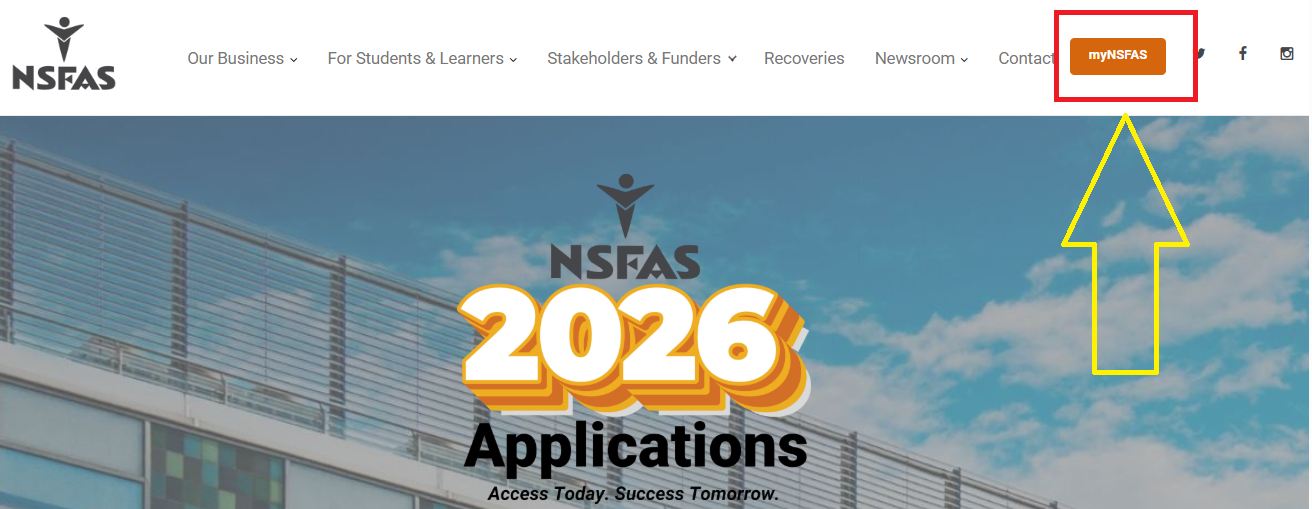
Ways to Check Your NSFAS Balance
The right balance-check method depends on how NSFAS sends your allowance. Students may use:
- Their linked bank account or banking app
- NSFAS Wallet, for students who still use that payment system
- myNSFAS for funding and account information
- NSFAS support for payment or balance queries
| Method | Best use | What you can check |
|---|---|---|
| Bank app | Direct bank payments | Available account balance and transactions |
| Bank USSD | Students without a banking app | Balance and recent account activity |
| NSFAS Wallet | Wallet-based allowance users | Wallet balance and transactions |
| myNSFAS | Funding account | Funding and account updates |
| NSFAS support | Payment problems | Payment and balance enquiries |
Check NSFAS Balance Through Your Bank Account
NSFAS currently supports direct allowance payments into personal bank accounts for eligible beneficiaries under its payment arrangements. TVET college beneficiaries were instructed to provide their personal banking details for direct allowance payments.
Use these steps:
- Open your bank’s mobile app.
- Sign in with your banking details.
- Select the account linked to your NSFAS payments.
- View the available balance.
- Open the transaction section to confirm recent NSFAS deposits.
- Match the payment amount with your expected allowance.
You can also use your bank’s USSD service or visit a branch or ATM to check the available balance.
Check NSFAS Wallet Balance
Some students may still have NSFAS Wallet access. NSFAS previously provided a USSD service for Wallet users through *120*176#. The official NSFAS material states that this channel gives Wallet users access to their account and transactions.
For Wallet users, the basic process is:
- Dial *120*176# from the cellphone linked to your NSFAS account.
- Follow the options shown on the screen.
- Sign in using the requested account details.
- Select the option related to your Wallet or account.
- View the available amount and transaction details.
The USSD route may not apply to students whose allowances now go directly into a bank account.
Check NSFAS Balance Using USSD Code (120176#)
-
Dial 120176# from your registered mobile number.
-
Enter your NSFAS Wallet PIN.
-
Select the “Check Balance” option.
This is the fastest way to check your funds without the internet.
Check NSFAS Balance via SMS
Some students receive automatic balance notifications by SMS whenever they withdraw money. This depends on your mobile network but is useful for passive updates.
Check NSFAS Balance on myNSFAS Student Portal
-
Go to my.nsfas.org.za.
-
Login with your ID number and password.
-
Open the “Wallet” or “Allowance” section to view your balance and transaction history.
This option also lets you see past transactions for better financial planning.
Common Problems Students Face While Checking Balance
-
Forgotten Wallet PIN: Students often forget their PIN and get locked out.
-
Lost or Changed Number: NSFAS Wallet only works with your registered number.
-
Balance Not Updating: Sometimes it takes a while after withdrawals.
-
Wallet Locked: Too many wrong attempts can cause temporary access issues.
How to Fix NSFAS Balance Issues
-
Reset Your Wallet PIN via SMS or by following the online reset instructions.
-
Contact NSFAS Support through email, call center, or official social media.
-
Visit Your Campus Financial Aid Office if the issue persists.
NSFAS Balance Withdrawal Guide
Your balance is not just for checking – you can also withdraw funds.
-
Via USSD: Dial 120176#, select “Cash Voucher,” enter amount.
-
At Retail Stores: Use your voucher code at participating stores to withdraw cash.
This makes it easy to access money for food, transport, or other needs.
Why Checking Your NSFAS Balance Regularly Matters
-
Helps avoid overspending during the month.
-
Prevents running out of money during exams or travel.
-
Encourages better budgeting for meals, data, and transport.
-
Reduces stress by keeping you updated on available funds.
What to Do if Your NSFAS Balance Has Not Updated
A missing balance can result from several account or payment issues. Check your account details and payment history before contacting support.
Try these steps:
- Confirm that your NSFAS funding has been approved.
- Check your myNSFAS account for new notifications.
- Confirm that your registration information has reached NSFAS.
- Check the bank account linked to your allowance.
- Review recent bank transactions.
- Confirm your personal details are correct.
- Give the payment system time to process a recently released allowance.
- Contact NSFAS for a payment or balance enquiry.
NSFAS states that funding requires valid registration data from the institution before funds can be released.
Checking your NSFAS balance is quick and convenient. Whether you use the code, NSFAS Wallet, website, or SMS, you can always stay updated about your funds. By monitoring your balance regularly, you can manage allowances better, plan ahead, and reduce the chances of running short during the semester.

- NSFAS Fraud Warning: How to Spot NSFAS Scams - September 28, 2026
- NSFAS Allowances Explained - September 28, 2026
- NSFAS Contact Details - September 26, 2026